
Microsoft Agent 365 is an AI-powered automation framework designed to help organizations build intelligent agents that work seamlessly across the entire Microsoft 365 ecosystem. These agents can understand tasks, reason, automate workflows, and interact with apps like Outlook, Teams, Excel, SharePoint, and OneDrive, making everyday work faster, smarter, and more efficient.
In this Azure AI tutorial, you'll learn what is Microsoft Agent 365, why enterprises need a Control Plane for AI Agents now, and the Five Core Pillars of Microsoft Agent 365.You’ll also learn how it Integrates with Microsoft apps, how to get started with it, and what the Future of AI automation looks like with Agent 365. If you want to learn AI basics without any cost? Enroll in the Free Azure AI Fundamental Course and take the first step toward your AI career.
What Is Microsoft Agent 365?
Microsoft Agent 365 is Microsoft’s new enterprise platform that acts as a centralized control plane for AI agents across the Microsoft 365 ecosystem. It allows organizations to create, manage, deploy, and monitor intelligent autonomous agents that can work across apps like Outlook, Teams, SharePoint, Excel, and Power Automate.
Instead of simple chatbots, Agent 365 enables AI agents that can plan, reason, take actions, coordinate workflows, and complete tasks end-to-end, all while following enterprise security, compliance, and governance rules.
Key Capabilities of Microsoft Agent 365
- Build AI agents that automate repetitive business workflows.
- Integrate agents deeply with Microsoft 365 apps.
- Enable autonomous task execution.(plan → act → complete)
- Centrally manage, govern, and secure all agents.
- Monitor conversations, tasks, and performance.
- Scale AI automation across teams and departments.
Why Enterprises Need a Control Plane for AI Agents Now?
As organizations adopt AI at scale, managing multiple agents across different apps and departments becomes increasingly complex. A control plane provides the structure and oversight needed to keep these agents coordinated, secure, and aligned with business goals.
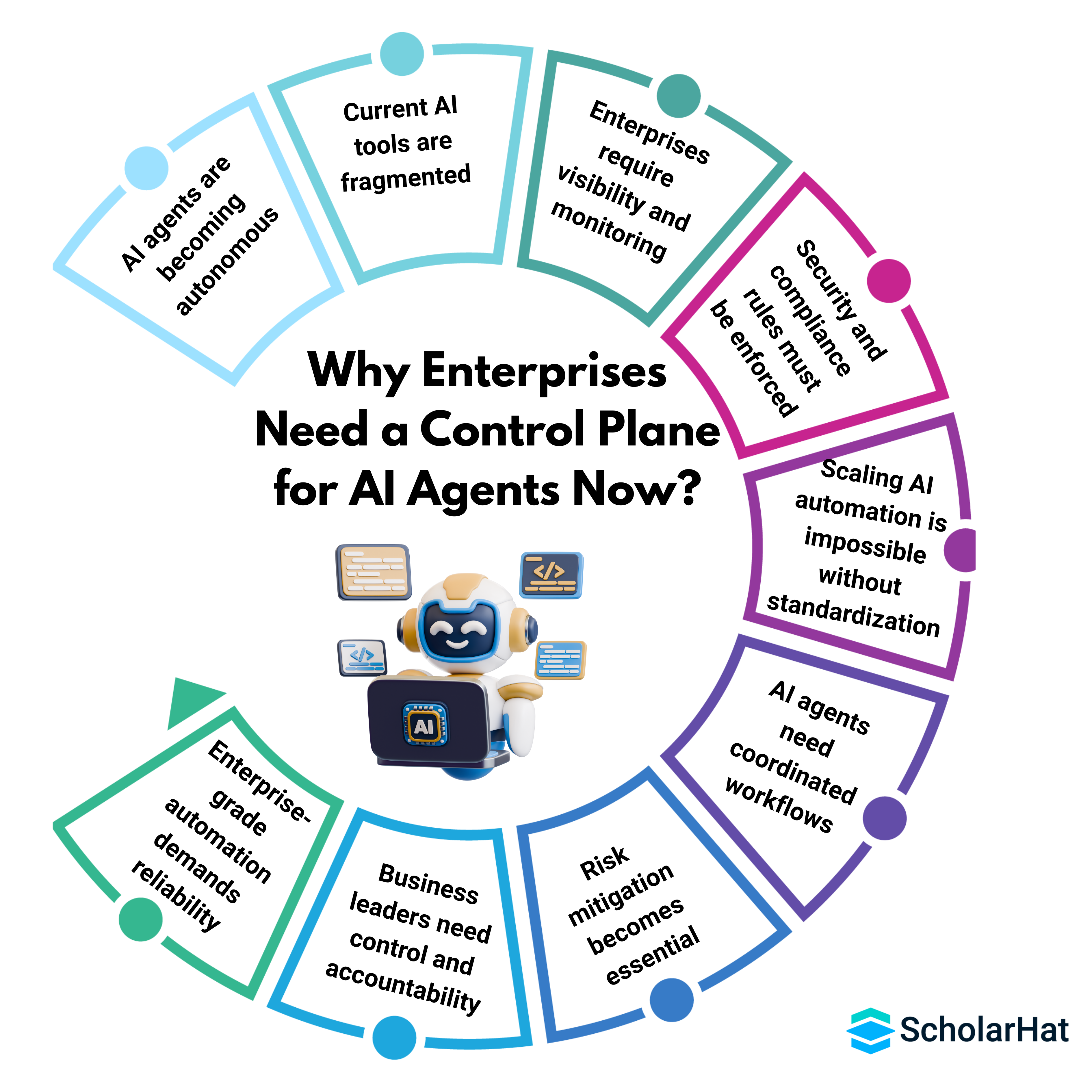
- AI agents are becoming autonomous, and enterprises need a central system to control their actions, permissions, and decision-making.
- Current AI tools are fragmented, and a control plane unifies agents across Outlook, Teams, SharePoint, CRM, HR systems, and internal apps.
- Enterprises require visibility and monitoring, including logs, audit trails, task histories, and real-time performance tracking of all AI agents.
- Security and compliance rules must be enforced, and a control plane provides data boundaries, role-based access, and policy enforcement.
- Scaling AI automation is impossible without standardization, and a control plane manages deployment, updates, version control, and maintenance.
- AI agents need coordinated workflows, and a control plane ensures they share context and work together rather than operating in silos.
- Risk mitigation becomes essential as agents gain autonomy; a control plane ensures safe, predictable, and governed AI operations.
- Business leaders need control and accountability, and a unified plane makes it easy to approve actions, track impacts, and set organizational rules.
- Enterprise-grade automation demands reliability, and a control plane ensures agents run consistently across departments and functions.
Core Capabilities: The 5 Pillars of Microsoft Agent 365
Microsoft Agent 365 is built on five core pillars that provide structure, security, and seamless control for managing AI agents across the enterprise.
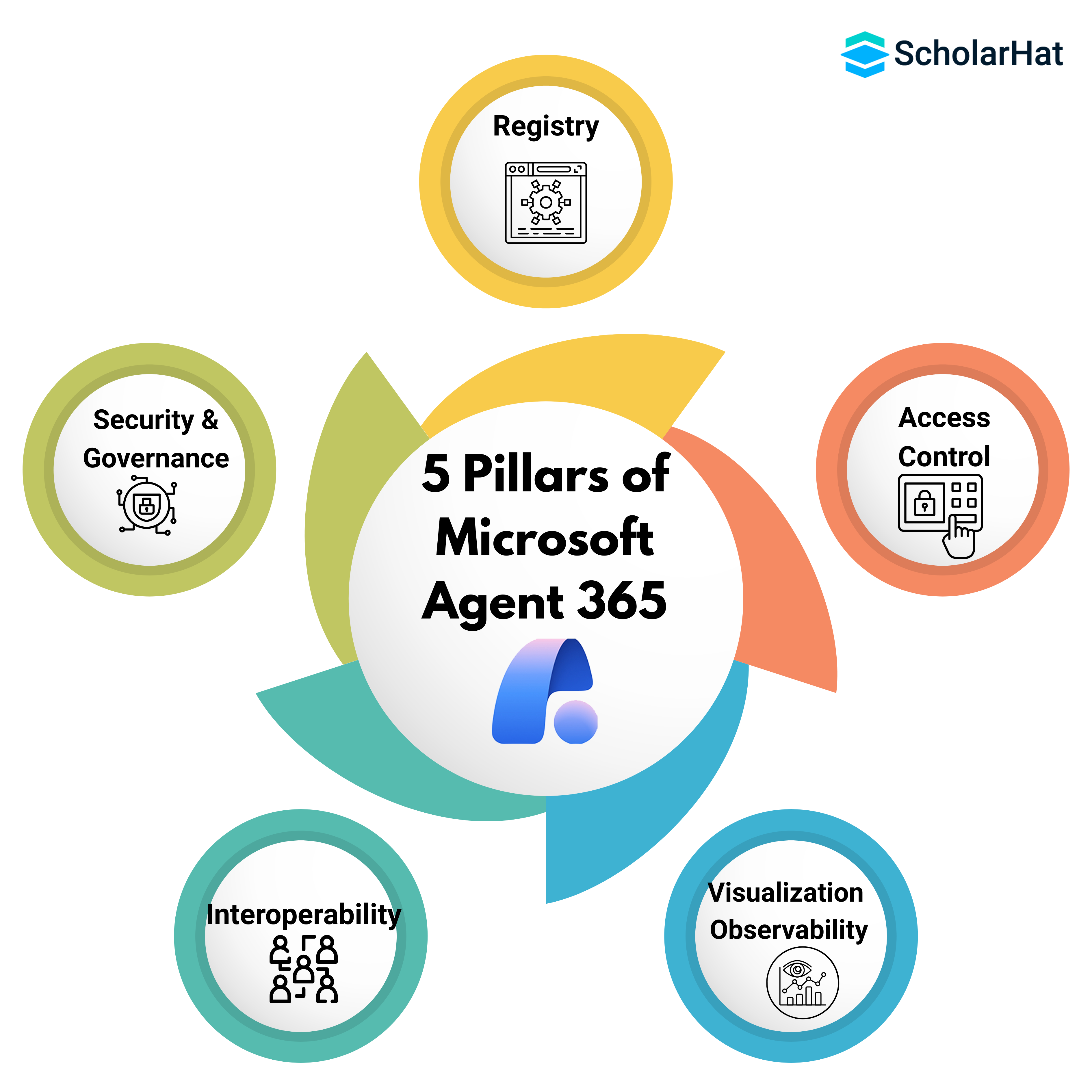
1. Registry
- Registry is a Central directory where all enterprise AI agents are created, registered, and managed.
- It maintains metadata, capabilities, permissions, and version history of each agent.
- It ensures consistency by standardizing how agents are defined and deployed across the organization.
- It helps teams instantly discover available agents and reuse them across apps and workflows.
2. Access Control
- Access Control manages who can create, modify, or trigger AI agents across the enterprise.
- Enforces role-based access and permissions at department, user, and system levels.
- Prevents unauthorized agents from running actions, accessing data, or executing workflows.
- Access Control ensures that every agent operates within clearly defined boundaries.
3. Visualization & Observability
- Visualization & Observability provides dashboards to monitor agent activity, task execution, performance, and errors.
- Enables real-time debugging and tracking of decision-making steps taken by the agent.
- Offers full audit trails for compliance, tracking what the agent did and why.
- Helps IT and business leaders measure ROI and optimize agent efficiency.
4. Interoperability
- Interoperability allows AI agents to work seamlessly across Outlook, Teams, Excel, SharePoint, Power Automate, and external systems.
- Ensures agents can share context, memory, and workflows across different apps.
- Enables cross-platform automation, such as an agent starting in Teams and finishing in SharePoint.
- Makes AI automation highly scalable by breaking silos between tools and departments.
5. Security & Governance
- Security and Governance applies enterprise security policies, compliance rules, and data protection standards to all AI agents.
- Ensures agents respect data boundaries and do not access or leak sensitive information.
- Provides governance controls to audit, approve, or limit agent actions.
- Keeps AI automation safe, accountable, and aligned with organizational standards.
How Microsoft Agent 365 Integrates with the Microsoft Ecosystem?
Microsoft Agent 365 integrates seamlessly with core Microsoft 365 apps, allowing AI agents to automate tasks, access data, and coordinate workflows directly inside Teams, Outlook, SharePoint, Excel, and more.
Key Integration Points of Microsoft Agent 365:
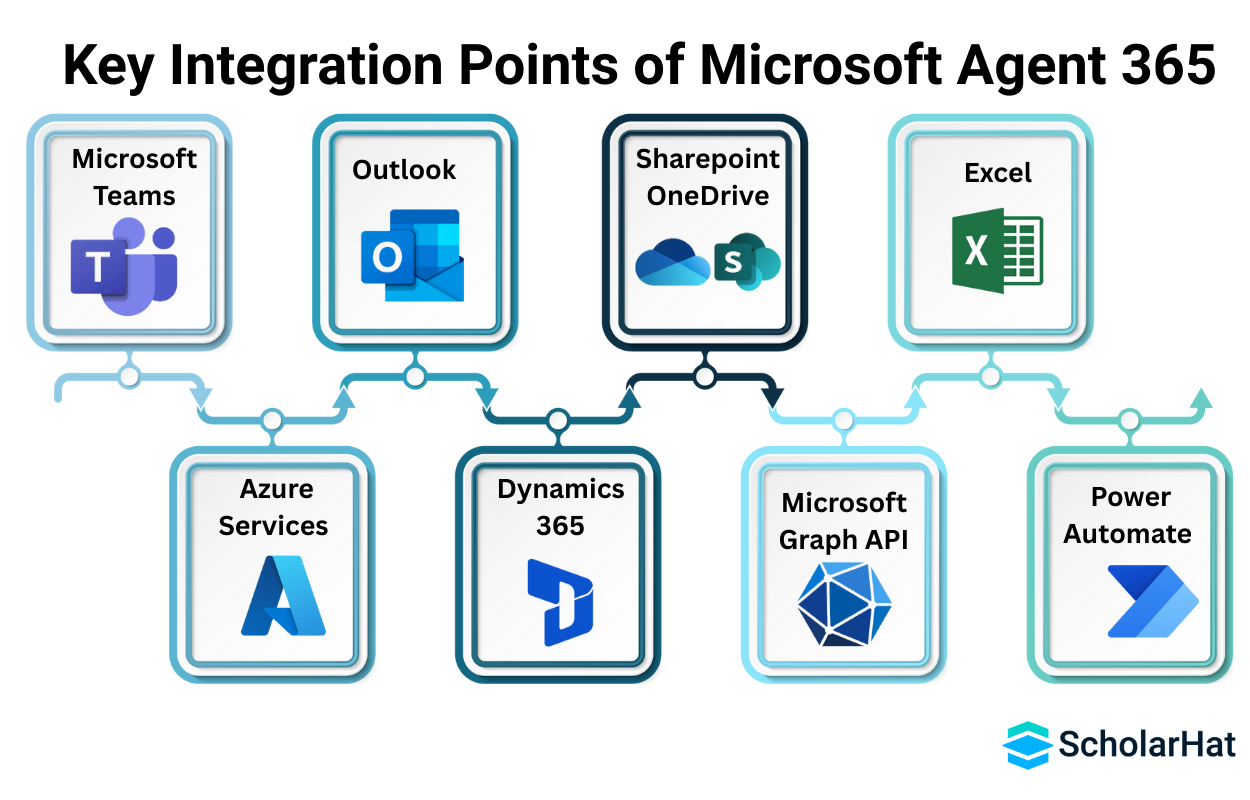
1. Microsoft Teams
2. Outlook
3. SharePoint & OneDrive
4. Excel
5. Power Automate
6. Microsoft Graph API
7. Azure Services
8. Dynamics 365
Getting Started with Microsoft Agent 365
Getting started with Microsoft Agent 365 is straightforward because it fits naturally into the existing Microsoft 365 environment. With just a few setup steps, organizations can activate agent capabilities, define access controls, and begin building AI-driven workflows that automate everyday tasks across Teams, Outlook, SharePoint, and other Microsoft apps.
Step-by-Step Getting Started
Step 1: Enable Agent 365: Activate Agent 365 from the Microsoft 365 admin center and assign the required licenses to selected users or pilot groups.
Step 3: Register Your First Agent: Create an entry in the Agent Registry with the agent name, description, capabilities, and allowed actions.
Step 5: Build Agent Skills & Workflows: Use Agent 365 tools, Microsoft Graph, or Power Automate to define tasks your agent can perform, such as scheduling, summarizing, or document handling.
Future of AI Agents with Microsoft Agent 365
AI agents are rapidly evolving from simple assistants into intelligent, autonomous digital workers. With Microsoft Agent 365 as the backbone, organizations will experience a new generation of agents that are smarter, more proactive, and deeply integrated across the Microsoft ecosystem.
- Fully Autonomous Workflows: Agents will be able to plan multi-step tasks, make decisions, and execute end-to-end processes without constant human input.
- Cross-Agent Collaboration: Multiple AI agents will collaborate with each other sharing context, dividing tasks, and coordinating outcomes across teams.
- Enterprise-Grade Intelligence: Agents will gain deeper reasoning, task understanding, and organizational awareness by leveraging Microsoft Graph and Azure AI.
- Proactive Assistance: Agents will not just respond to commands, they will anticipate business needs, surface insights, and suggest actions before users ask.
- Deep Industry Customization: Agent 365 will enable industry-specific agents for healthcare, finance, retail, manufacturing, HR, and IT operations.
Conclusion
Microsoft Agent 365 is set to become the backbone of enterprise AI automation, offering a secure, unified way to manage intelligent agents across Microsoft 365. With its deep integration, strong governance, and future-ready capabilities, it will help organizations unlock smarter workflows and a more efficient digital workforce.
Don’t get left behind, Agentic AI is becoming the No.1 skill employers want. Become a Certified Agentic AI Engineer with Agentic AI Engineer Certification Training.